About Voice Recorder Audio Sound MP3
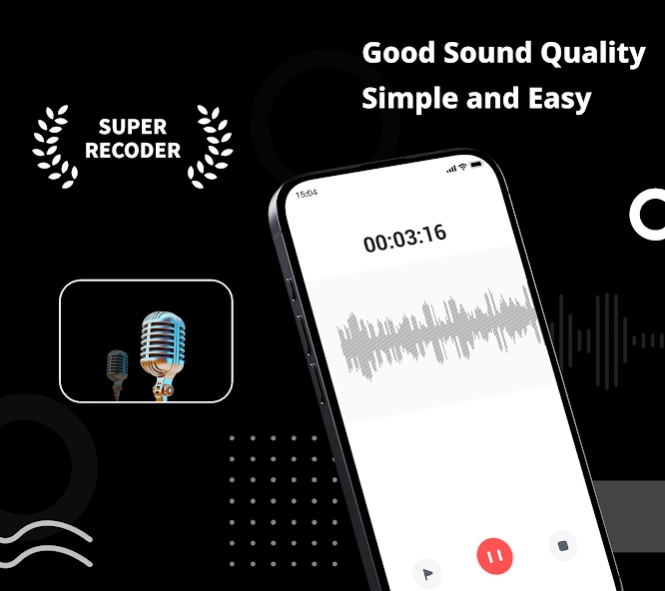
🥇Super Recorder - Record meetings, lectures, interviews, voice notes, music ideas , and creative projects with a professional voice recorder built for more than basic audio capture. Super Recorder combines high-qu
🥇Super Recorder -
Record meetings, lectures, interviews, voice notes, music ideas , and creative projects with a
professional voice recorder built for more than basic audio capture.
Super Recorder combines high-quality audio recording, offline speech-to-text, AI summaries, audio editing, voice effects, and content creation in one app. Capture clear sound, turn speech into organized text, review key information, and create finished audio without switching between multiple tools.
🎙️
Professional voice recording
Record a quick voice memo, a full lecture, an interview, or a creative performance with flexible recording controls.
• Record audio in the background
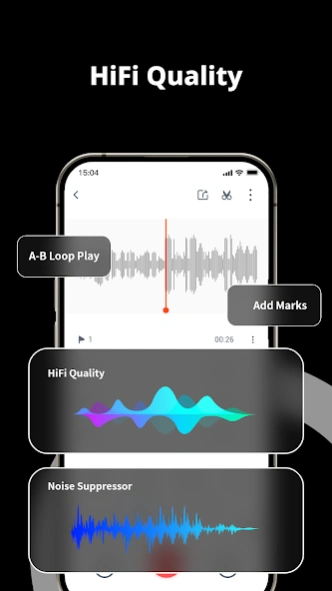
• Reduce background noise and enhance voices
• Choose mono or stereo recording
• Record with Bluetooth headsets
• Add markers at important moments
• Schedule recordings to start and stop automatically
• Record your voice while playing background music
• Add tags to organize meetings, classes, and other recordings
• Export audio in MP3, AAC, M4A, WAV, and other formats
📝
Speech-to-text
Convert recordings into editable text.
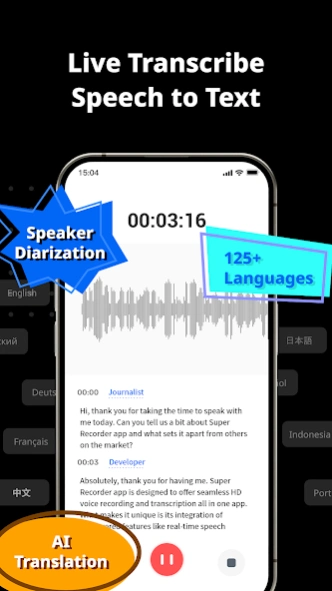
• Transcribe speech in real time while recording
• Import audio and video files for transcription
• Use offine transcription and Google transcription
• Edit, export, and share completed transcripts
🧑🏼💻
Speaker identification
Make conversations easier to review by automatically separating different speakers.
• Identify speakers in meetings, interviews, and discussions
• Rename speakers when needed
• Correct incorrectly identified speaker segments
• Adjust the speaking time range
🗒
AI summaries and translation
• Generate summaries from completed transcripts
• Choose from multiple summary templates
• Extract key points from meetings, classes, and interviews
• Translate transcripts across 59 languages
• Edit text before exporting or sharing
✨
Creation Mode
Turn a script, idea, or performance into a finished audio project.
• Upload or paste a script
• Record while following your text
• Add markers, sound effects, and background music
• Adjust voice and music volume
• Insert a new recording at a selected point
• Trim and arrange recorded sections
• Export the completed project
Creation Mode is suitable for voice-overs, podcasts, presentations, spoken content, personal projects, and music ideas.
🤡
Voice changer and effects
Use voice effects while recording or apply them to an existing recording.
After speaker identification is complete, you can select one speaker and change only that person’s voice.
✂️
Audio editing tools
Prepare recordings without moving them to another audio editor.
• Trim unwanted sections
• Adjust recording volume
• Convert video to audio
• Change playback speed with or without changing pitch
• Save and share edited audio in multiple formats
📍
Smarter playback
• Skip silent sections automatically
• Repeat a selected part of the recording
• Play audio from 0.5x to 3x speed
• Jump directly to saved markers
💯
Organize and protect your recordings
• Organize files with tags and categories
• Find important moments with markers
• Lock sensitive recordings with a password
• Choose whether to keep files only on your device or enable cloud backup
🎙
Built for real recording needs
Use Super Recorder for:
• Meetings and meeting notes
• Lectures, classes, and study review
• Interviews and research
• Voice memos and personal ideas
• Dictation and speech-to-text
• Voice-overs and spoken content
• Music practice and creative recording
• Audio editing and video-to-audio conversion
From the first recording to the final transcript or audio project, Super Recorder gives you a practical way to record, transcribe, summarize, edit, organize, and share your work.
Privacy Policy: https://static.hlxmf.com/superrecorder/privacy/gp_index.html?lang=en
Terms of Service: https://static.hlxmf.com/superrecorder/tos/gp_index.html
Previous Versions
Here you can find the changelog of Voice Recorder Audio Sound MP3 since it was posted on our website on 2020-07-27 22:43:53.
The latest version is 2.6.0 and it was updated on 2026-10-12 18:42:55. See below the changes in each version.
Voice Recorder Audio Sound MP3 version 2.5.1
Updated At: 2026-09-23
Changes: 1. Experience the power of AI now! Come and enjoy AI summarization, speaker diarization and translation features in our lastest version!
2. We have optimized the offline transcription experience in English, Chinese, Japanese and Korean.
Voice Recorder Audio Sound MP3 version 2.4.3.3
Updated At: 2024-10-10
Changes: Experience the power of AI now! Come and enjoy AI summarization, speaker diarization and translation features in our lastest version!
Voice Recorder Audio Sound MP3 version 2.4.2.0
Updated At: 2024-09-13
Changes: We've upgraded the audio to text feature, with much improved transcription accuracy and support for more transcription language
Voice Recorder Audio Sound MP3 version 2.3.1
Updated At: 2024-01-09
Changes: 1. Fixed Google transcription not working problem.
2. Fixed some recording failure issues.
Voice Recorder Audio Sound MP3 version 2.3.0
Updated At: 2023-08-04
Changes: 1. You can record voice with Bluetooth device now!
2. We offer a variety of recording modes for you to choose from!
3. You can batch adjust audio volume and video to audio now!
4. Cleaner design and more powerful recording!
Voice Recorder Audio Sound MP3 version 2.0.4
Updated At: 2022-03-10
Changes: 1. You can play recording files in the background now.
2. Long press to select or delete multiple recording files.
3. You can import local audios into app now.
Voice Recorder Audio Sound MP3 version 2.0.3
Updated At: 2022-01-20
Changes: 1. New UI design, easy to record and listen.
2. Transcribe recording to text more easier.
Voice Recorder Audio Sound MP3 version 1.6.2
Updated At: 2021-12-28
Changes: 1. You can set ringtones now.
2. Fix some recording bugs.
Voice Recorder Audio Sound MP3 version 1.5.5
Updated At: 2021-08-15
Changes: 1. Support audio file transcription, more convenient!
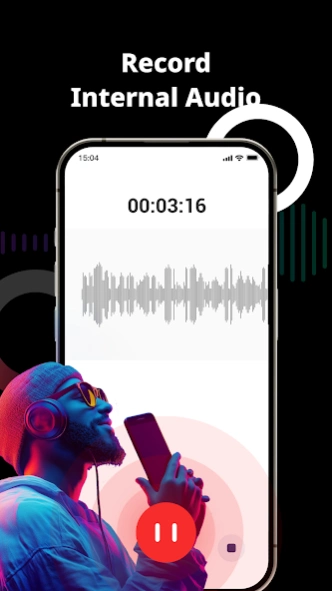
2. Support internal sound recording, no more noise!
3. Support locking audio files, privacy protected!
4. Support 128Khz HiFi sound quality, more clearer!
5. Support convert video to audio, extract music from MV!
6. Fix the bug that the sound cannot be recorded, more stable!
7. Fix the bug that the recording file fails to be saved!
Voice Recorder Audio Sound MP3 version 1.4.3
Updated At: 2021-03-26
Changes: 1. Support Google Cloud Speech to Text API, 125 languages and variants supported.
2. Support real-time voice change functions and variety of funny voice change effects are available.
3. Optimized the interface, easy for everyone to record and transcribe.